

To completely clean up AWS account of all services and instances. you can use CloudShell.
in CloudShell you can run cleanup scripts.
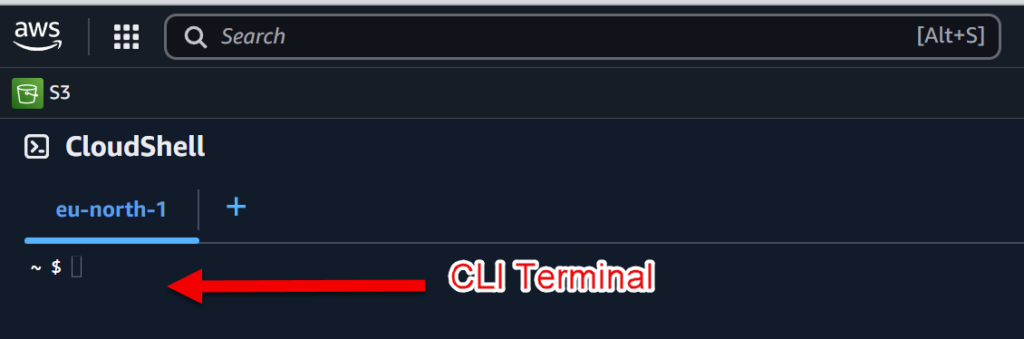
Script 1: Delete all instances and their dependencies in all regions
#!/bin/bash

# List all AWS regions
regions=$(aws ec2 describe-regions --query 'Regions[].RegionName' --output text)
echo "Regions found: $regions"

# Loop through each region
for region in $regions
do
  echo "Working in region: $region"

  # Describe all instances in the region
  instances=$(aws ec2 describe-instances --region $region --query 'Reservations[*].Instances[*].InstanceId' --output text)
  echo "Instances found in $region: $instances"

  # Check if any instances were found
  if [ -z "$instances" ]; then
    echo "No instances found in region $region."
  else
    # Loop through each instance and delete it along with its dependencies
    for instance in $instances
    do
      echo "Processing instance: $instance in region: $region"

      # Disassociate and release Elastic IPs associated with the instance
      elastic_ips=$(aws ec2 describe-addresses --region $region --filters "Name=instance-id,Values=$instance" --query 'Addresses[*].AllocationId' --output text)
      for eip in $elastic_ips
      do
        echo "Releasing Elastic IP: $eip"
        aws ec2 release-address --region $region --allocation-id $eip
      done

      # Detach and delete EBS volumes attached to the instance
      volumes=$(aws ec2 describe-volumes --region $region --filters "Name=attachment.instance-id,Values=$instance" --query 'Volumes[*].VolumeId' --output text)
      for volume in $volumes
      do
        echo "Detaching and deleting volume: $volume"
        aws ec2 detach-volume --region $region --volume-id $volume
        # Wait for the volume to be detached
        aws ec2 wait volume-available --region $region --volume-id $volume
        aws ec2 delete-volume --region $region --volume-id $volume
      done

      # Terminate the instance
      echo "Terminating instance: $instance"
      aws ec2 terminate-instances --region $region --instance-ids $instance
      # Wait for the instance to terminate
      aws ec2 wait instance-terminated --region $region --instance-ids $instance
    done
  fi
done
Script 2: Delete all VPCs - subnets - gateways in all regions
#!/bin/bash

# List all AWS regions
regions=$(aws ec2 describe-regions --query 'Regions[].RegionName' --output text)
echo "Regions found: $regions"

# Loop through each region
for region in $regions
do
  echo "Working in region: $region"

  # List all VPCs in the region
  vpcs=$(aws ec2 describe-vpcs --region $region --query 'Vpcs[].VpcId' --output text)
  echo "VPCs found in $region: $vpcs"

  # Check if any VPCs were found
  if [ -z "$vpcs" ]; then
    echo "No VPCs found in region $region."
  else
    # Loop through each VPC and delete dependencies
    for vpc in $vpcs
    do
      echo "Processing VPC: $vpc in region: $region"

      # Deleting subnets
      subnets=$(aws ec2 describe-subnets --region $region --filters "Name=vpc-id,Values=$vpc" --query 'Subnets[].SubnetId' --output text)
      for subnet in $subnets
      do
        echo "Deleting subnet: $subnet"
        aws ec2 delete-subnet --region $region --subnet-id $subnet
      done

      # Detach and delete internet gateways
      igs=$(aws ec2 describe-internet-gateways --region $region --filters "Name=attachment.vpc-id,Values=$vpc" --query 'InternetGateways[].InternetGatewayId' --output text)
      for ig in $igs
      do
        echo "Detaching and deleting Internet Gateway: $ig"
        aws ec2 detach-internet-gateway --region $region --internet-gateway-id $ig --vpc-id $vpc
        aws ec2 delete-internet-gateway --region $region --internet-gateway-id $ig
      done

      # Delete route tables not associated with a subnet
      rts=$(aws ec2 describe-route-tables --region $region --filters "Name=vpc-id,Values=$vpc" --query 'RouteTables[].RouteTableId' --output text)
      for rt in $rts
      do
        assoc=$(aws ec2 describe-route-tables --region $region --route-table-id $rt --query 'RouteTables[].Associations' --output text)
        if [ -z "$assoc" ]; then
          echo "Deleting Route Table: $rt"
          aws ec2 delete-route-table --region $region --route-table-id $rt
        fi
      done

      # Deleting the VPC
      echo "Deleting VPC: $vpc"
      aws ec2 delete-vpc --region $region --vpc-id $vpc
    done
  fi
done
Script 3 : Delete all DHCP option sets in all regions
#!/bin/bash

# List all AWS regions
regions=$(aws ec2 describe-regions --query 'Regions[].RegionName' --output text)
echo "Regions found: $regions"

# Loop through each region
for region in $regions
do
  echo "Working in region: $region"

  # Describe all DHCP options sets in the region
  dhcp_options=$(aws ec2 describe-dhcp-options --region $region --query 'DhcpOptions[].DhcpOptionsId' --output text)
  echo "DHCP Options found in $region: $dhcp_options"

  # Check if any DHCP options were found
  if [ -z "$dhcp_options" ]; then
    echo "No DHCP Options found in region $region."
  else
    # Loop through each DHCP option set and delete it
    for dhcp_option in $dhcp_options
    do
      # Check if DHCP option set is associated with any VPC
      assoc=$(aws ec2 describe-vpcs --region $region --filters "Name=dhcp-options-id,Values=$dhcp_option" --query 'Vpcs[].VpcId' --output text)
      if [ -z "$assoc" ]; then
        echo "Deleting DHCP Option Set: $dhcp_option in region: $region"
        aws ec2 delete-dhcp-options --region $region --dhcp-options-id $dhcp_option
      else
        echo "DHCP Option Set: $dhcp_option in region: $region is still associated with VPC(s): $assoc"
        echo "Please disassociate this DHCP option set before attempting to delete it."
      fi
    done
  fi
done